Connect Odoo to your banks via Isabel.
Centralize bank statements and payment uploads in Odoo,
while keeping Isabel’s security and approval workflows.
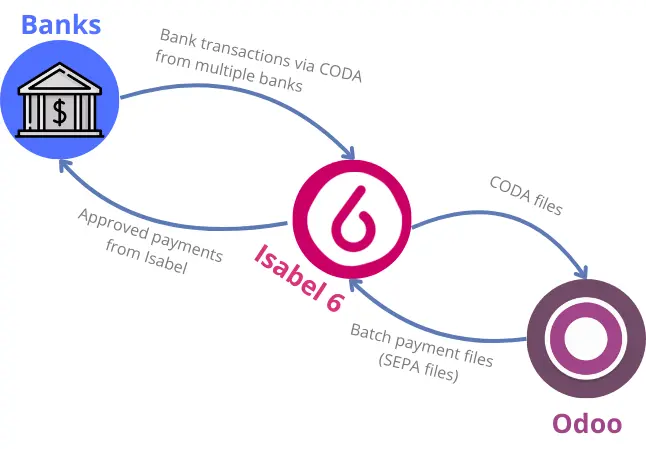
Your accounting is centralized.
Your banking workflows are not.
You are already using Odoo as your accounting system.
Yet, key banking operations still require manual steps outside of Odoo.
Payment files must be uploaded manually to your banking platform or via Isabel.
Bank statements (CODA files) have to be downloaded every morning from each bank or from Isabel, then uploaded into Odoo.
Online bank synchronization via PSD2 help, but require regular refreshes, reconnections, and manual intervention when the connection breaks.

An integrated banking flow between Odoo and Isabel
With this integration implemented by Noviat, Odoo and Isabel are connected through a single, integrated banking flow.
With this integration :
- Bank transactions are delivered into Odoo every morning, without manually downloading CODA files
- Payments are prepared in Odoo and sent to Isabel in one click, without leaving Odoo
- Payment approvals remain fully handled in Isabel by your financial director or your accountant
Stop managing payment files. Start managing payments.
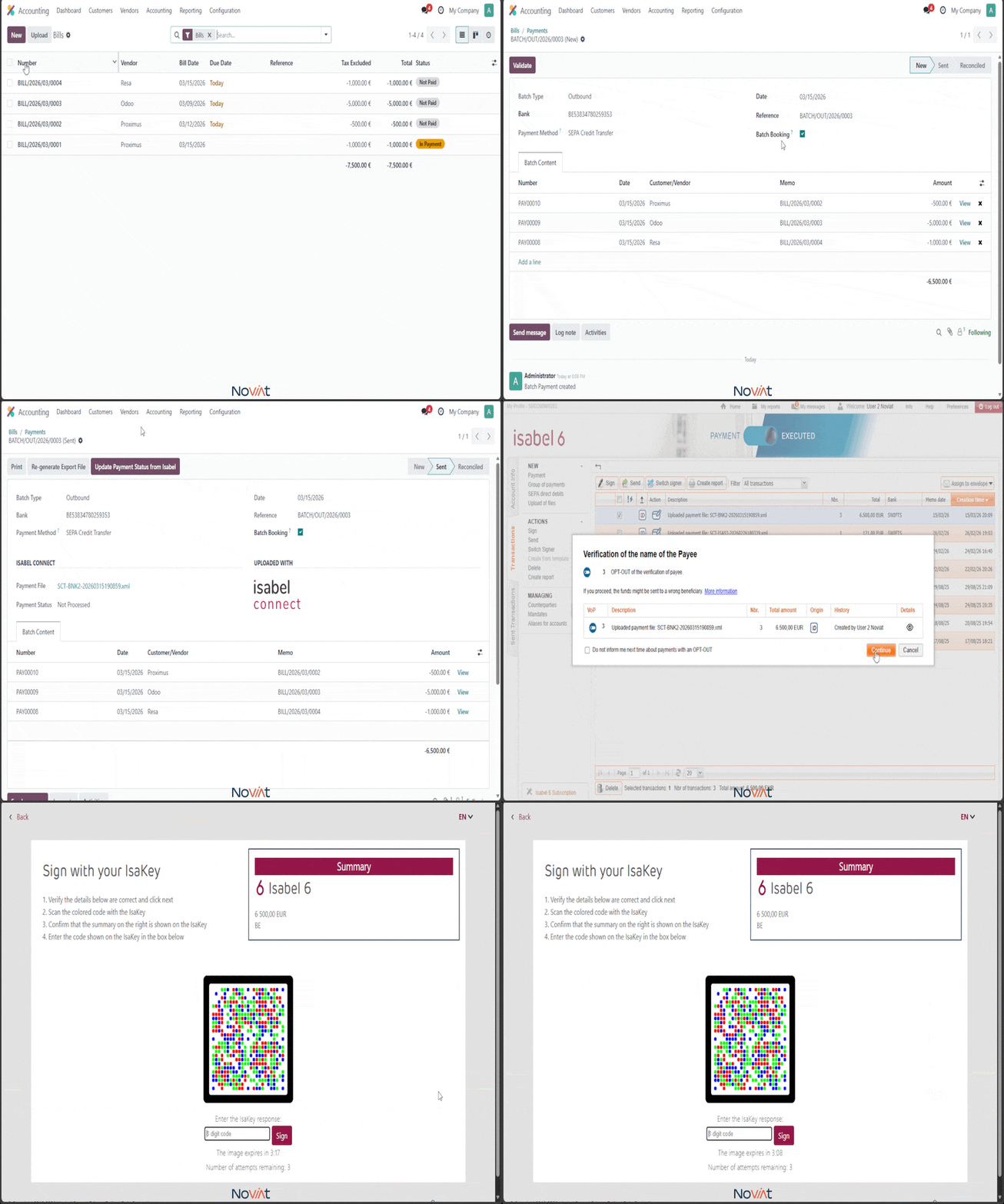
Generating a payment batch in Odoo used to mean downloading a file, logging into Isabel, uploading it manually, and hoping nothing went wrong along the way.
With Isabel Connect :
✓ Generate your payment batch in Odoo
✓ Send it to Isabel in one click
✓ No file to download, no file to upload
✓ Payments ready for approval instantly
Your bank statements arrive in Odoo.
Every morning.
Every morning, downloading CODA files from each bank or from Isabel and importing them manually into Odoo was the first task of the day.
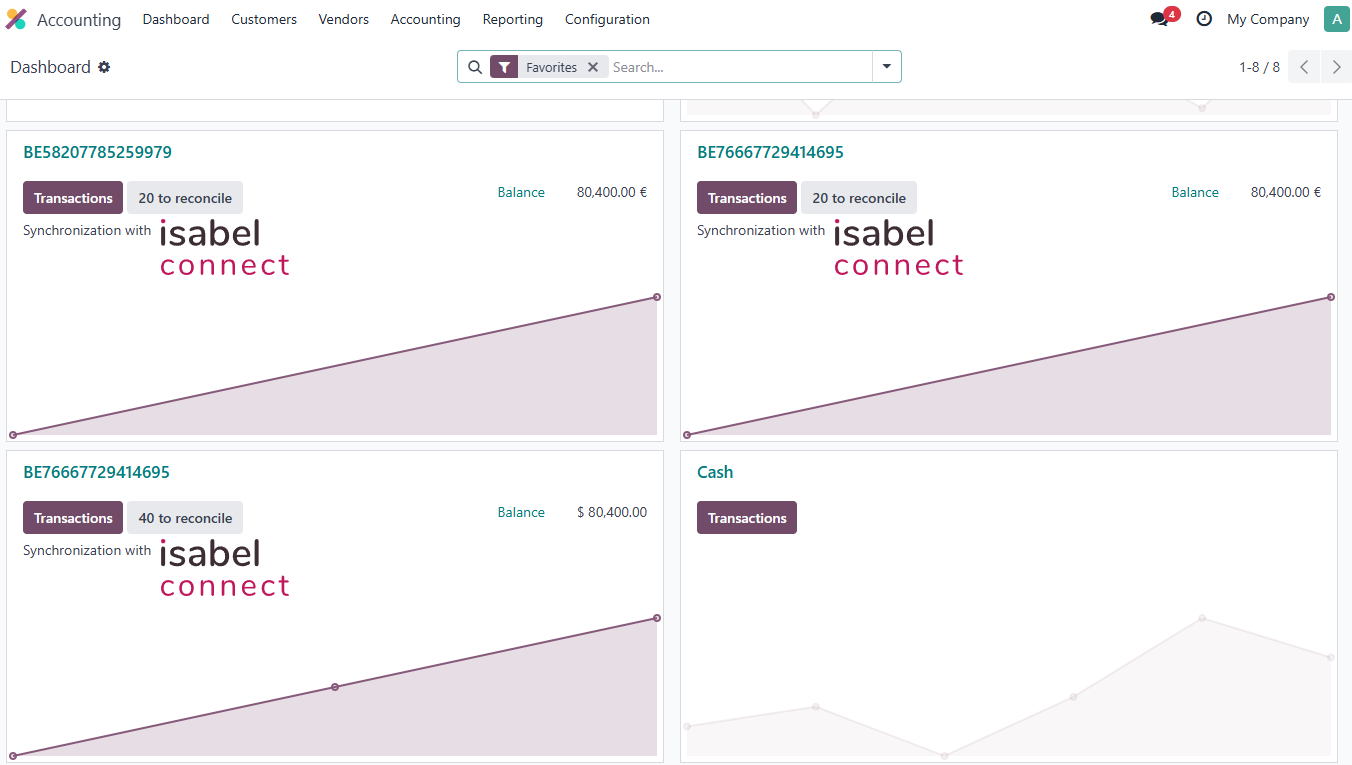
With Isabel Connect, that's handled for you :
✓ CODA files are fetched automatically from Isabel every morning
✓ All your linked bank accounts are synchronized at once
✓ Bank statements appear in Odoo, ready to reconcile before you even open your computer
Simple, transparent pricing
- Automatic CODA import every morning
- Payment batch upload to Isabel in one click
- All linked bank accounts included
- Up to 3 Isabel users included
- Support and migration from Noviat included
- What you'll need to get started :
- An active Isabel 6 subscription
- Odoo with the Accounting module
- At least one bank account linked to your Isabel account
Is your Odoo implementation handled by Noviat ? You benefit from a preferential rate.
Frequently asked questions
Yes. Isabel Connect is fully compatible with Odoo's multi-company setup. Each company can have its own linked bank accounts in Isabel, and CODA imports and payment batches are handled independently per company within the same Odoo database.
Payment batches are sent from Odoo to Isabel in one click. The signing of payments in Isabel is done securely using one of the supported methods: itsme®, an Isakey or an Isabel SmartCard. The Isakey is required once during the initial setup when linking your Isabel user account to Odoo.
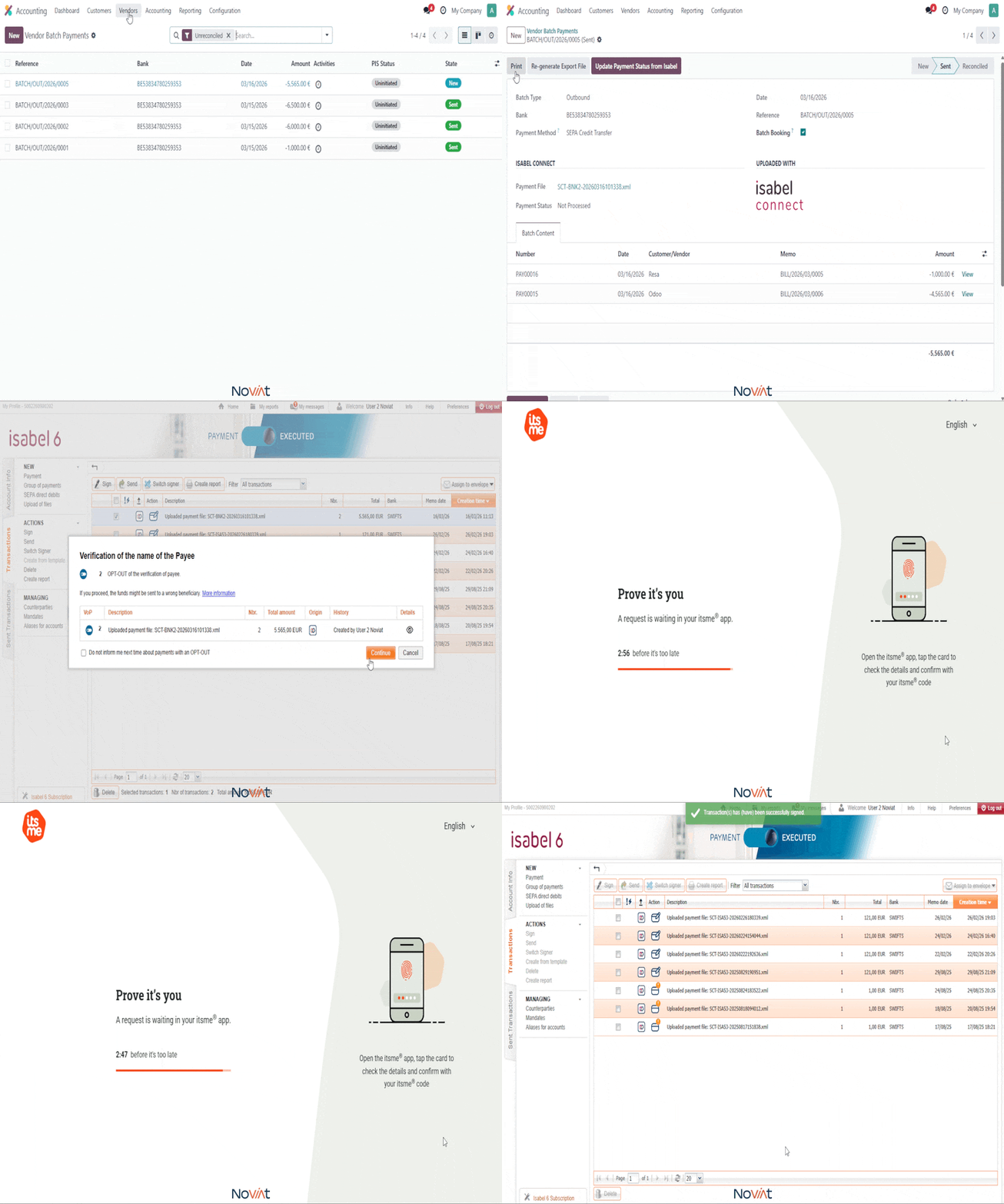
No and this is one of the key security advantages of Isabel Connect. Payment files are uploaded to Isabel immediately and automatically upon confirmation in Odoo. The employee preparing the payments never handles the file directly, eliminating the risk of manual tampering such as changing a supplier's bank account number.
Yes. Isabel Connect works with Odoo Enterprise as well as Odoo Community, using the OCA Payment Orders module for the Community edition. If you are running Odoo Community, please mention it when you contact us.
The subscription includes up to 3 Isabel users.
Adding an extra Isabel user beyond that limit requires a one-time fee of €100 excl. VAT.
Replacing an Isabel user (for example when an employee leaves) requires a one-time fee of €100 excl. VAT per replacement.